
Python 3.15 全面解析:新特性、性能革命与开发者必知变化
概览
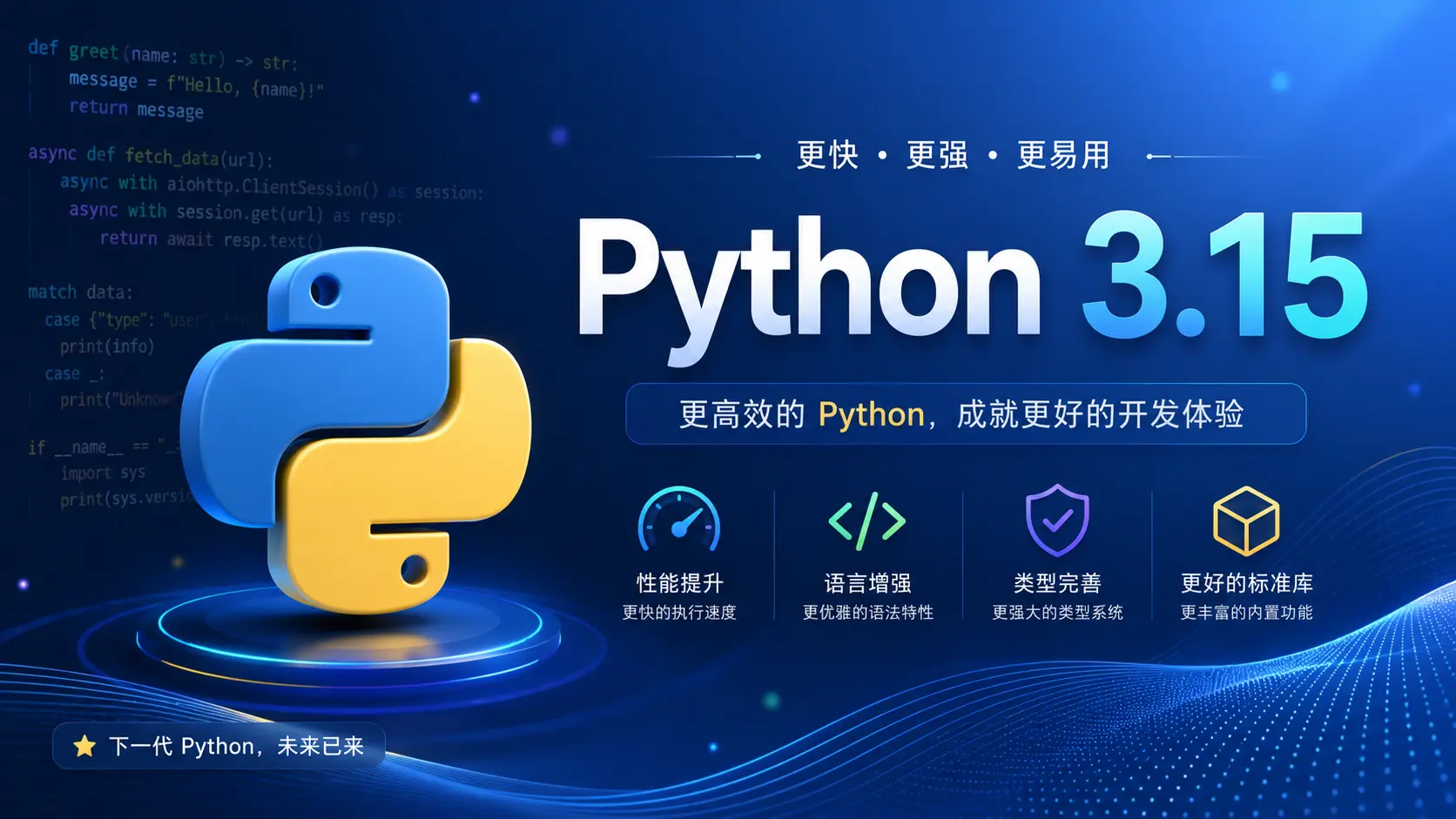
Python 3.15 是 Python 语言发展的又一重要里程碑,预计于 2026 年 10 月 正式发布。根据 PEP 745 发布计划,当前版本已进入 Beta 阶段(Beta 2 于 2026 年 6 月发布)。
这个版本带来了多项颠覆性特性:
- 延迟导入(Lazy Imports) — PEP 810 引入的全新模块加载机制
- frozendict 内置类型 — PEP 814 为 Python 添加不可变字典
- Tachyon 采样分析器 — 百万赫兹级采样,几乎零开销
- 推导式中的解包操作 — PEP 798 允许在列表推导式中使用
*和** - 延迟注解求值 — PEP 649/749 彻底改变类型注解的工作方式
- UTF-8 成为默认编码 — PEP 686 统一编码行为
- 多项标准库增强 — asyncio、re、ssl、typing 等模块大幅改进
核心新特性
延迟导入(Lazy Imports)
PEP 810 引入了
lazy软关键字,允许模块在首次使用时才被加载,而非在import语句执行时立即加载。这将显著改善 Python 应用的启动性能。
  python# 声明延迟导入
lazy import json
lazy from pathlib import Path

print("应用启动中...")  # json 和 pathlib 尚未被加载

# 在此处才真正加载 json 模块
data = json.loads('{"key": "value"}')
全局控制
除了逐个声明 lazy import,Python 3.15 还提供了全局控制方式:
  bash# 命令行参数
python -X lazy_imports=all app.py

# 环境变量
PYTHON_LAZY_IMPORTS=all python app.py
可选值:
| 值 | 行为 |
|---|---|
all |
所有模块延迟加载 |
normal |
仅显式声明的模块延迟加载 |
none(默认) |
禁用延迟导入 |
运行时 API
  pythonimport sys

# 查询当前延迟导入状态
state = sys.get_lazy_imports()

# 设置延迟导入模式
sys.set_lazy_imports("normal")

# 设置过滤器(决定哪些模块不延迟加载)
sys.set_lazy_imports_filter(lambda name: name.startswith("myapp."))
限制条件
- 仅在模块作用域内有效,不能在函数、类或
try块内使用 - 不支持
from module import *(星号导入) - 不支持
from __future__导入 - 可通过
types.LazyImportType进行运行时类型检测
跨版本兼容
  python# 模块属性用于检测延迟导入支持
if hasattr(module, '__lazy_modules__'):
    # 使用延迟导入 API
    pass
frozendict 内置类型
PEP 814 将
frozendict添加为 Python 内置类型,提供不可变、可哈希的字典实现。
  python>>> from builtins import frozendict

>>> fd = frozendict(x=1, y=2, z=3)
>>> fd['w'] = 4
TypeError: 'frozendict' object does not support item assignment

# 可哈希 — 可用作字典键或集合元素
>>> hash(fd)
>>> cache = {fd: "cached_result"}

# 保持插入顺序
>>> list(fd.keys())
['x', 'y', 'z']
核心特性
| 特性 | 说明 |
|---|---|
| 不可变性 | 创建后无法修改,所有修改操作抛出 TypeError |
| 可哈希性 | 当所有键和值均可哈希时,frozendict 本身也可哈希 |
| 非 dict 子类 | 继承自 object,与 dict 是平行关系 |
| 顺序无关比较 | frozendict(a=1, b=2) == frozendict(b=2, a=1) 为 True |
| 插入顺序保留 | 迭代顺序与创建时一致 |
标准库适配
以下模块已更新以支持 frozendict:
copy— 支持浅拷贝和深拷贝json— 序列化/反序列化支持pickle/marshal— 序列化支持pprint— 美化输出decimal、plistlib、xml.etree.ElementTree— 相关集成
Tachyon:百万赫兹级采样分析器
PEP 799 引入了全新的
profiling包,其中包含革命性的 Tachyon 采样分析器,采样率高达 1,000,000 Hz,几乎零性能开销。
  bash# 以 100 万赫兹采样率分析脚本
python -m profiling.sampling --freq 1000000 my_script.py

# Wall 时间模式(默认)
python -m profiling.sampling --mode wall my_script.py

# CPU 时间模式
python -m profiling.sampling --mode cpu my_script.py

# GIL 感知模式
python -m profiling.sampling --mode gil my_script.py

# 附加到运行中的进程
python -m profiling.sampling attach --pid 12345
输出格式
  bash# 火焰图(交互式 HTML/D3.js)
python -m profiling.sampling --flamegraph my_script.py

# pstats 格式(兼容 cProfile)
python -m profiling.sampling --pstats my_script.py

# 折叠格式(兼容 Brendan Gregg 工具链)
python -m profiling.sampling --collapsed my_script.py

# Firefox Profiler 格式
python -m profiling.sampling --gecko my_script.py
高级功能
| 功能 | 参数 | 说明 |
|---|---|---|
| 实时 TUI | --live |
实时终端界面显示性能数据 |
| 异步感知 | --async-aware |
正确归属协程执行时间 |
| 操作码级精度 | --opcodes |
精确到字节码指令 |
| 线程感知 | -a |
包含所有线程的采样 |
架构变化
profiling.tracing— 确定性函数调用跟踪(从cProfile迁移)profiling.sampling— 统计采样分析器(Tachyon)cProfile保留为兼容别名profile模块被标记为废弃(将在 Python 3.17 移除)
推导式中的解包操作
PEP 798 允许在列表推导式、集合推导式、字典推导式和生成器表达式中使用
*和**解包操作符。
  python# 列表推导式中解包嵌套列表
>>> lists = [[1, 2], [3, 4], [5]]
>>> [*L for L in lists]
[1, 2, 3, 4, 5]

# 字典推导式中解包字典
>>> dicts = [{'a': 1}, {'b': 2}, {'a': 3}]
>>> {**d for d in dicts}
{'a': 3, 'b': 2}  # 后出现的键覆盖先前的值

# 集合推导式
>>> sets = [{1, 2}, {3, 4}, {2, 3}]
>>> {*s for s in sets}
{1, 2, 3, 4}

# 生成器表达式也支持
>>> list((*x for x in [(1, 2), (3, 4)]))
[1, 2, 3, 4]
这比之前的写法更加简洁直观:
  python# Python 3.14 及之前
result = [item for sublist in lists for item in sublist]

# Python 3.15
result = [*L for L in lists]
延迟注解求值
PEP 649 和 PEP 749 彻底改变了类型注解的求值机制,注解不再在定义时立即求值,而是在首次访问时延迟求值。
  python# Python 3.14:注解在定义时立即求值
# 如果 MyClass 未定义,这会抛出 NameError
def process(data: MyClass) -> MyClass:
    pass

# Python 3.15:注解延迟求值,直到实际访问
# 可以前向引用尚未定义的类型
def process(data: MyClass) -> MyClass:
    pass

class MyClass:
    pass

# 注解在运行时才求值
import typing
hints = typing.get_type_hints(process)  # 此时才触发求值
主要优势
- 消除前向引用问题 — 无需
from __future__ import annotations - 性能提升 — 模块加载时不再执行类型注解求值
- 更好的工具支持 — IDE 和类型检查器可以更精确地分析注解
__annotations__行为变化 — 不再是立即求值的字典
UTF-8 成为默认编码
PEP 686 将 UTF-8 设为所有 I/O 操作的默认编码,结束了 Python 跨平台编码不一致的历史。
  python# Python 3.14:依赖平台默认编码
open('file.txt')  # Windows 上可能是 GBK/Cp936

# Python 3.15:默认 UTF-8
open('file.txt')  # 始终使用 UTF-8

# 需要平台特定编码时显式指定
open('file.txt', encoding='locale')  # 恢复旧行为
控制选项
  bash# 禁用 UTF-8 模式,恢复旧行为
python -X utf8=0 app.py
PYTHONUTF8=0 python app.py

# 强制 UTF-8 模式(即使在 Python 3.15 之前也有效)
python -X utf8=1 app.py
标准库重大更新
asyncio 增强
TaskGroup 新增 cancel() 方法,支持提前取消任务组:
  pythonasync def process_with_timeout():
    async with asyncio.TaskGroup() as tg:
        task1 = tg.create_task(long_running_task())
        task2 = tg.create_task(another_task())

        # 在特定条件下取消所有任务
        if some_condition:
            tg.cancel()  # 取消任务组中的所有任务
re 模块:新的前缀匹配
re.match()被标记为软废弃,推荐使用新的re.prefixmatch()。
  pythonimport re

# Python 3.14
result = re.match(r'\d+', '123abc')

# Python 3.15(推荐)
result = re.prefixmatch(r'\d+', '123abc')

# 对应的 Pattern 方法
pattern = re.compile(r'\d+')
result = pattern.prefixmatch('123abc')
ssl 模块:TLS 1.3 PSK 支持
  pythonimport ssl

# 检查 PSK TLS 1.3 支持
if ssl.HAS_PSK_TLS13:
    ctx = ssl.SSLContext(ssl.PROTOCOL_TLS_CLIENT)
    ctx.set_psk_client_callback(my_psk_callback)

# 设置密码套件
ctx.set_ciphersuites('TLS_AES_256_GCM_SHA384:TLS_CHACHA20_POLY1305_SHA256')

# 获取/设置支持的组
groups = ctx.get_groups()
ctx.set_groups(['x25519', 'secp256r1'])
typing 模块:TypeForm 和 disjoint_base
  pythonfrom typing import TypeForm, TypedDict, disjoint_base

# TypeForm:标注类型表达式本身
def create_validator(tp: TypeForm) -> Callable:
    """接受一个类型并返回验证器"""
    ...

# TypedDict 支持闭合类型和额外项
class Config(TypedDict, closed=True):
    name: str
    version: str
    extra_items=int  # 允许额外的整数值

# disjoint_base 装饰器
@disjoint_base
class Shape:
    def area(self) -> float: ...

@disjoint_base
class Serializable:
    def serialize(self) -> bytes: ...
subprocess:事件驱动等待
Popen.wait() 在 Linux 上使用 pidfd,在 macOS 上使用 kqueue,替代了轮询方式:
  pythonimport subprocess

proc = subprocess.Popen(['long_running_command'])

# Python 3.15:事件驱动,CPU 零开销等待
proc.wait(timeout=30)
tomllib:TOML 1.1.0 支持
  pythonimport tomllib

# TOML 1.1.0 新特性
config = tomllib.loads("""
# 内联表可以包含换行
server = {
    host = "localhost",
    port = 8080,
}

# 十六进制转义
message = "Hello\x20World"

# 可选秒数
meeting_time = 14:30
""")
其他重要模块更新
| 模块 | 更新内容 |
|---|---|
| math | 新增 isnormal()、issubnormal()、fmax()、fmin()、signbit();新增 math.integer 子模块(PEP 791) |
| base64 | 新增 pad、padded、wrapcol、ignorechars、canonical 参数 |
| argparse | BooleanOptionalAction 支持单破折号;suggest_on_error 默认启用 |
| collections | Counter 新增 __xor__() 和 __ixor__() 操作 |
| unicodedata | 升级至 Unicode 17.0.0;新增 iter_graphemes()、block() |
| http.server | 彩色日志;自定义 Content-Type;-H 添加自定义响应头 |
| os | Linux 上新增 statx();makedirs() 支持 parent_mode |
| threading | 新增 serialize_iterator()、synchronized_iterator()、concurrent_tee() |
| json | load()/loads() 新增 array_hook 参数 |
| calendar | 命令行彩色输出;HTML 暗黑模式 |
| pprint | 新增 expand 关键字参数;支持 t-string |
| sqlite3 | SQL 关键字/对象补全;命令行彩色输出 |
| shelve | 新增 reorganize() 方法;自定义序列化函数 |
性能与底层优化
JIT 编译器重大升级
Python 3.15 的 JIT 编译器经历了自 3.13 引入以来最大的一次升级,性能提升显著。结合以下优化,整体执行效率进一步提升:
- Windows 64 位官方二进制 启用尾调用解释器(Tail-Calling Interpreter)
- GC 优化:从 3.13 的增量 GC 回退到分代 GC,减少了内存管理开销
帧指针默认启用(PEP 831)
PEP 831 要求 CPython 构建时默认启用帧指针(Frame Pointers),使原生分析工具能够高效地遍历调用栈。
  bash# 构建时标志(自动生效)
-fno-omit-frame-pointer
-mno-omit-leaf-frame-pointer
受益工具
- perf(Linux 性能分析器)
- eBPF 工具(bpftrace、BCC)
- 调试器(GDB、LLDB)
- 第三方分析器(py-spy、samply)
C API 重大改进
PEP 803:Free-Threaded 构建的稳定 ABI(abi3t)
  c// 启用 abi3t 目标
#define Py_TARGET_ABI3T

// 使用 PEP 697 API(替代负 basicsize)
PyObject *obj = PyObject_GetTypeData(cls, type);

// 新的模块导出钩子(PEP 793)
PyMODINIT_FUNC PyModExport_modulename(void);

// 插槽结构(PEP 820)
PySlot slots[] = {
    {"feature1", feature1_impl},
    {NULL, NULL}
};
PEP 788:解释器终结保护
  c// 防止解释器被终结
PyInterpreterGuard *guard = PyInterpreterGuard_New(interp);

// 线程安全访问正在终结的解释器
PyInterpreterView *view = PyInterpreterView_New(interp);

// 附着/分离 API(内置终结保护)
PyThreadState *tstate = PyInterpreterState_Attach(interp);
// ... 使用解释器 ...
PyInterpreterState_Detach(tstate);
安全修复
Python 3.15 修复了多个安全漏洞:
| CVE | 模块 | 描述 |
|---|---|---|
| CVE-2025-4138 | tarfile | 符号链接目标规范化 |
| CVE-2025-4330 | tarfile | 链接替换重新应用提取过滤器 |
| CVE-2025-4435 | tarfile | errorlevel=0 时不再提取被拒绝成员 |
| CVE-2024-12718 | tarfile | 目录属性修复 |
| CVE-2025-4517 | os.path | realpath() 新增 ALLOW_MISSING 安全选项 |
开发者体验改进
智能错误消息
Python 3.15 的错误提示变得更加智能和友好:
  python# 嵌套属性建议
>>> container.area
AttributeError: 'Container' object has no attribute 'area'. Did you mean '.inner.area'?

# 跨语言方法建议
>>> my_list.push(42)
AttributeError: 'list' object has no attribute 'push'. Did you mean '.append()'?

>>> my_str.toUpperCase()
AttributeError: 'str' object has no attribute 'toUpperCase'. Did you mean '.upper()'?

>>> my_dict.put('key', 'value')
AttributeError: 'dict' object has no attribute 'put'. Did you mean d['key'] = value?

# 可变/不可变类型提示
>>> (1, 2, 3).append(4)
AttributeError: 'tuple' object has no attribute 'append'. Did you mean to use a 'list' object?

# delattr 建议
>>> delattr(obj, 'nmae')
AttributeError: 'MyClass' object has no attribute 'nmae'. Did you mean 'name'?
彩色终端体验
Python 3.15 全面拥抱终端彩色输出:
- 交互式 shell — 彩色制表符补全(按对象类型着色)
ast模块 — 语法高亮的 AST dumpcalendar— 命令行彩色日历输出difflib—unified_diff()支持color参数pickletools— 彩色 pickle 数据解析timeit— 彩色性能结果tokenize— 彩色词法分析输出sqlite3— 命令行 SQL 语法高亮http.server— 彩色日志输出- Interpreter help — 彩色帮助文本
- 异常消息 — unraisable 异常彩色显示
  bash# 禁用彩色输出
export NO_COLOR=1

# 或在 Python 中
python -X no_color=1 app.py
警告系统增强
  pythonimport warnings

# Python 3.15:-W 选项支持正则表达式模式
# 命令行
# python -W "/deprecat/" app.py

# PYTHONWARNINGS 环境变量
# PYTHONWARNINGS="/deprecat/" python app.py
废弃与移除
废弃项
| 项目 | 替代方案 | 移除版本 |
|---|---|---|
profile 模块 |
profiling.tracing |
Python 3.17 |
re.match() / re.Pattern.match() |
re.prefixmatch() |
软废弃(无移除计划) |
PyGILState_Ensure() / PyGILState_Release() |
PEP 788 新 API | 软废弃(无移除计划) |
.pth 文件中的 import 行 |
.start 文件 |
静默废弃 |
移除项
Python 3.15 移除了大量在早期版本中已废弃的 API:
ast— 移除多个废弃的 AST 节点和函数collections.abc— 移除重复的别名ctypes— 移除废弃的类型转换函数datetime— 移除废弃的格式化方法glob— 移除旧版模式匹配 APIpathlib— 移除废弃的路径操作方法threading— 移除废弃的线程函数typing— 移除废弃的类型别名wave— 移除旧版音频 APIzipimport— 移除废弃的导入钩子
发布时间线
根据 PEP 745,Python 3.15 的发布计划如下:
| 里程碑 | 日期 | 状态 |
|---|---|---|
| Alpha 1 | 2025 年 10 月 | ✅ 已发布 |
| Alpha 2 | 2025 年 11 月 | ✅ 已发布 |
| Alpha 3 | 2025 年 12 月 | ✅ 已发布 |
| Alpha 4 | 2026 年 1 月 | ✅ 已发布 |
| Alpha 5 | 2026 年 2 月 | ✅ 已发布 |
| Beta 1 | 2026 年 5 月 | ✅ 已发布 |
| Beta 2 | 2026 年 6 月 | ✅ 已发布 |
| RC 1 | 2026 年 9 月 | 🔜 即将发布 |
| Final Release | 2026 年 10 月 | 📅 计划中 |
| End of Life | 2032 年 10 月 | — |
总结与建议
立即可做的准备
- 测试延迟导入 — 在测试环境中启用
-X lazy_imports=normal,评估启动性能提升 - 迁移
re.match()→re.prefixmatch()— 虽然是软废弃,但新 API 命名更清晰 - 审查编码依赖 — 确保代码不依赖平台默认编码,使用
encoding='locale'显式指定 - 更新 C 扩展 — 如果维护 C 扩展,开始适配 PEP 697 API
升级注意事项
- GC 行为变化 — 从增量 GC 回退到分代 GC,可能影响内存使用模式
- 注解求值时机 — 依赖
__annotations__立即求值的代码需要调整 profile模块废弃 — 迁移到profiling包- 安全修复 — 多个 tarfile CVE 修复,建议尽快升级
迁移工具
  bash# 使用 pyupgrade 自动更新代码
pip install pyupgrade
pyupgrade --py315-plus **/*.py

# 使用 ruff 进行 lint 检查
pip install ruff
ruff check --select UP --target-version py315 .
参考资料
- Python 3.15 What's New
- PEP 745 - Python 3.15 Release Schedule
- PEP 810 - Explicit Lazy Imports
- PEP 814 - frozendict
- PEP 799 - Dedicated Profiling Package
- PEP 798 - Unpacking in Comprehensions
- PEP 649 - Deferred Evaluation of Annotations
- PEP 686 - UTF-8 Default Encoding
- PEP 831 - Frame Pointers
- PEP 803 - Stable ABI for Free-Threaded Builds
- PEP 788 - Protecting C API from Interpreter Finalization